slint
import { TabWidget } from "std-widgets.slint";export component Example inherits Window { width:200px; height:200px; TabWidget { Tab { title: "First"; Rectangle { background: orange; } } Tab { title: "Second"; Rectangle { background: pink; } } }}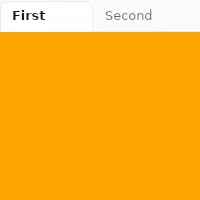
TabWidget是一组选项卡的容器。它只能有 Tab元素作为子元素,并且一次只能显示一个选项卡。
##属性
current-index
整数 默认:0
当前可见选项卡的索引。
slint
TabWidget { current-index:1;
 Tab { title: "First"; } Tab { title: "Second"; }}
orientation
枚举 Orientation 默认:horizontal
选项卡栏的方向。 当设置为 vertical 时,选项卡栏放在内容的左侧。 该属性必须是常量。 例如:
slint
TabWidget { in property <Orientation> foo; // orientation: foo; //错误 orientation: Orientation.vertical; //有效 Tab { title: "First"; }}Orientation
表示元素或控件(例如 Slider)的方向。
horizontal:元素水平方向。vertical:元素垂直方向。
Tab元素的属性
title
字符串 默认:""
选项卡上显示的文本。
slint
TabWidget { Tab { title: "First"; }}